Table of Contents
- What Does Poor HubSpot CRM Data Hygiene Actually Cost a B2B Company?
- What Are the Most Common HubSpot CRM Data Quality Issues?
- CRM Data Cleaning Workflows That Actually Hold
- Maintaining HubSpot CRM Data Hygiene at Scale: The Data Health Loop
- Case Study: When Clean Data Makes Small Numbers Trustworthy
- When Is HubSpot Data Hygiene Not Your First Priority?
- How The Smarketers Approaches HubSpot Data Hygiene
- Frequently Asked Questions
Need help with B2B Marketing?
Let the smarketers’ team drive your pipeline with data-led campaigns and AI-powered growth strategies.
A rep opens an account record before a renewal call and finds three versions of the same company: one with a stale contact, one with last year’s deal, one nobody remembers creating. Marketing sent the CEO a “welcome” nurture email last Tuesday. The QBR deck says the account is unengaged. The account signed a six-figure expansion in March.
Nobody built this on purpose. HubSpot CRM data hygiene problems accumulate the way clutter does – one import, one integration, one hurried rep at a time – and the tax shows up quietly in wrong routing decisions, misleading dashboards, and leads worked twice or not at all. The tax shows up as a wrong routing decision here, a misleading dashboard there, an expensive lead worked twice or not at all. With the average B2B sales qualified lead costing $1,357, a CRM that misroutes or double-counts even a small share of them is destroying real money on a schedule.
This article covers the data quality problems we find most often inside B2B HubSpot portals, the automated cleaning workflows that fix them, and the operating system that keeps them fixed. For teams preparing for AI deployment, see our guide on CRM data hygiene as the prerequisite for AI-driven marketing. It draws on our work as a HubSpot Platinum Solutions Partner across enterprise B2B portals, including one engagement we break down below.
What Does Poor HubSpot CRM Data Hygiene Actually Cost a B2B Company?
CRM data quality in B2B costs you decisions before it costs you dollars. Every revenue motion that runs through HubSpot, lead routing, lifecycle reporting, attribution, forecasting, personalization, inherits the quality of the records underneath it. When those records are wrong, the motion still runs. It just runs toward the wrong conclusion, with everyone’s confidence intact.
The exposure is bigger than most teams assume because the CRM already sees so little of the journey. Per 6sense’s Buyer Experience Report, up to 90% of identifiable account visitors stay anonymous throughout their research, and only around 3% of web visitors ever convert to a form fill. Gartner adds that 67% of B2B buyers prefer a rep-free buying experience entirely. The visible slice of the market inside your portal is thin. When that thin slice is also inaccurate, your revenue team is navigating with a small map that is drawn wrong.

The dollar figures follow from there. Duplicate contacts inflate audience counts and burn email sends on people who have already converted. Bad lifecycle stage data turns your MQL-to-SQL reporting into fiction, and that fiction sets next quarter’s budget. Stale firmographics route enterprise accounts to SMB reps. Attribution built on merged-wrong records credits the wrong channels, so spend keeps flowing to what only appears to work. None of these line items shows up in a P&L with the label “dirty data,” which is exactly why the problem survives budget review after budget review.
Key takeaway: Dirty CRM data is not an IT annoyance; it is a compounding tax on routing, reporting, and spend allocation. Because the cost hides inside other line items, the teams that quantify it are usually the only ones who fix it.
How much does poor HubSpot CRM data hygiene cost B2B companies?
Poor CRM data quality costs B2B organizations through four compounding channels:
(1) wasted spend on duplicated leads – at $1,357 average cost per B2B SQL, even a 5% duplicate rate destroys real budget;
(2) broken attribution that misdirects spend toward channels that only appear to work;
(3) stale firmographics that route enterprise accounts to the wrong reps; and
(4) lifecycle stage errors that corrupt pipeline reporting and next quarter’s budget. The cost hides inside other line items, which is why it compounds undetected.
How to put a number on it in your own portal
You do not need a research firm to price your own tax; three afternoon exercises get you a defensible floor. First, pull your duplicate rate on contacts and companies, then multiply the affected records that touched the pipeline last quarter by your cost per qualified lead. If your numbers resemble the $1,357 B2B average per SQL, even a 5% duplicate rate on worked leads is a five-figure quarterly line item at modest volume. Second, sample 50 records that changed lifecycle stage last month and count how many carry evidence for the change; the shortfall percentage is roughly how much of your funnel reporting is fiction. Third, measure speed-to-lead on records with missing or wrong owner fields against clean ones. The gap is usually embarrassing, and it converts directly to revenue because response time decides which vendor gets the first real conversation.
Present those three numbers together and the budget conversation changes character. Data hygiene stops being a housekeeping request and becomes the cheapest pipeline program on the list, because it recovers spend you have already committed rather than asking for new spend.
What Are the Most Common HubSpot CRM Data Quality Issues?
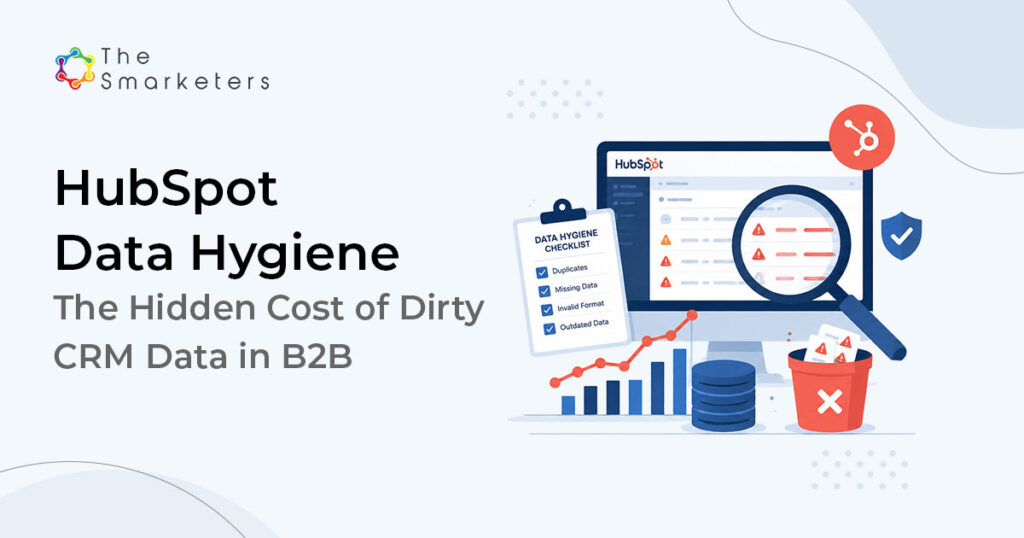
What is HubSpot CRM data hygiene? HubSpot CRM data hygiene is the ongoing practice of keeping contact, company, and deal records accurate, complete, deduplicated, and consistently structured so that every workflow, report, and lead routing decision built on HubSpot can be trusted. It includes deduplication, lifecycle stage governance, property standardization, integration guardrails, and a continuous monitoring cadence. Applying B2B data hygiene best practices starts with knowing which issues cause 80% of the damage. In HubSpot audits, the same six recurring problems account for most of it:
- HubSpot duplicate contacts and companies are created by list imports, integration syncs, and forms that match on nothing but exact email – and they split engagement history so no single record tells the truth about anyone.
- Free-text chaos in critical properties. “Industry” fields holding 40 spellings of the same sector, job titles that defeat any persona logic, country fields mixing codes and names. Anything segmentation depends on eventually getting typed by hand somewhere.
- Lifecycle stages nobody defined. Records marked MQL by an old workflow no one can find, SQLs that sales never accepted, customers still sitting in opportunity stages. If stage definitions are not written down, every report using them is an opinion.
- Decayed records. People change roles and companies constantly; a contact database ages even if nobody touches it. Fields that were right at import drift wrong on their own schedule.
- Integration debris. Sync loops between HubSpot and the data warehouse, ERP, or a legacy CRM that overwrite good values with old ones, create shadow duplicates, or stamp every record with the same update date, destroying recency signals.
- Ownerless records. Contacts with no owner, owners who left the company, or round-robin assignments into deactivated seats. Ownership gaps are where response-time SLAs go to die.
Scale makes this worse, not better. HubSpot now serves roughly 288,700 customers and holds around 38% of the marketing automation market, which means enormous ecosystems of integrations, imported lists, and inherited portals, each one a data entry point. With CRM adoption still growing around 12.6% a year, most companies are adding data sources faster than they are adding data discipline.
CRM Data Cleaning Workflows That Actually Hold
The direct answer: automate the repetitive 80% (formatting, deduplication, property standardization, decay flags) and reserve humans for the judgment calls automation cannot make (which duplicate survives a merge conflict, whether a company is really the same entity). Teams that try to automate 100% end up with confident wrong data, which is worse than messy data because nobody double-checks it.
Workflows worth building in HubSpot first:
1. Format fixers on create. Workflows that title-case names, standardize phone and country formats, and strip whitespace the moment a record is created, from any source. HubSpot’s built-in formatting actions handle most of this without custom code.
2. Scheduled dedupe passes. HubSpot’s native duplicate management plus a weekly review queue for fuzzy matches (same company, different domains; same person, personal vs work email). Auto-merge only exact-confidence matches; queue the rest.
3. Picklist migration workflows. Convert free-text fields that drive segmentation into dropdowns, with a mapping workflow that reassigns historical values. One painful migration beats a permanent cleaning chore.
4. HubSpot lifecycle stage management starts with workflows that only move stages when written entry criteria are met, logging each criterion as a property value so every stage change carries its evidence.
5. Decay flags and re-verification. Mark records untouched for 12+ months for enrichment or archive. AI-assisted enrichment tools in the HubSpot ecosystem make re-verification cheap; our own stack pairs them with human spot checks before anything overwrites a field.
6. Integration guardrails. Field-level sync rules that define which system wins per property, so your ERP stops overwriting a rep’s fresh note with last quarter’s export.
Smarketers insight: The highest-ROI workflow is usually the least glamorous: gating imports. Requiring every list import to map to standardized properties, with a named owner and a source tag, prevents more dirty data in a quarter than most cleanup projects remove in a year.
Common mistakes that undo the automation
- Auto-merging on fuzzy matches. Two records that look alike are not always the same entity; a bad merge destroys history that no workflow can reconstruct. Queue fuzzy matches for a human, always.
- Cleaning fields nobody uses. Effort should follow routing and reporting dependence, not alphabetical order. A pristine fax number field is a monument to misallocated hours.
- Enriching before deduplicating. Paying to enrich duplicates means paying twice to make the mess more confident. Dedupe first, enrich second, every time.
- Building workflows without a change log. The mystery automation that keeps re-marking records MQL is always one an ex-employee built in a hurry. Document every data workflow with an owner and a purpose, or you are manufacturing next year’s archaeology.
Maintaining HubSpot CRM Data Hygiene at Scale: The Data Health Loop
One-off cleanups fail for a structural reason: data quality is a flow problem, and a cleanup only fixes the stock. Within two quarters the portal is dirty again and the project is discredited. What holds at enterprise scale is a loop, not a project. We run a five-stage cycle we call the CRM Data Health Loop:
7. Audit. Baseline the numbers that matter: duplicate rate, completeness on routing-critical properties, decay age, ownerless record count. You cannot defend a hygiene budget without a before.
8. Standardize. Write one definition per property that drives routing or reporting. Picklists over free text. Lifecycle criteria signed by both marketing and sales leadership, because unsigned definitions get ignored.
9. Automate. Deploy the cleaning workflows above so maintenance runs on a schedule instead of on guilt.
10. Gate. Validate at every entry point: form field validation, import rules, integration field mappings, required properties on rep-created records. Entry gates are where the flow problem gets solved.
11. Monitor. A monthly data health dashboard with one named owner and thresholds that trigger action, not discussion. When the duplicate rate crosses X%, a specific workflow gets reviewed. Then the loop restarts with the next audit.

Two roles make the loop survive contact with reality. First, a named owner, usually marketing ops or RevOps, with actual authority over property creation. Portals where anyone can create properties become swamps within a year. Second, an executive sponsor who treats the monthly dashboard as a business review input, because the moment data health becomes optional reporting, it stops happening.
Governance details that decide whether the loop holds
- A property creation policy. New properties require a written purpose, an owner, and a review date. Most enterprise portals we audit carry hundreds of properties, and the unused majority are where standardization quietly dies.
- An archive policy with teeth. Records that fail decay review get archived on a schedule, not hoarded. Marketers resist deleting contacts; the honest question is whether a six-year-old bounced contact is an asset or a liability in every count it inflates.
- A change log for definitions. When lifecycle criteria change, reporting breaks silently at the seam. Date-stamp every definition change and annotate dashboards, or next year’s year-over-year comparison will be an argument nobody can win.
- Quarterly integration review. Integrations added for a campaign in 2024 are still writing to your portal today. Review every active sync quarterly: what writes, to which fields, and who owns the mapping.
How HubSpot CRM Data Hygiene Approaches Compare
| Approach | What it fixes | What it misses | Best for |
|---|---|---|---|
| One-off cleanup project | Current duplicates and formatting debt | Every new record; dirty again in 1-2 quarters | Pre-migration or pre-audit crunch, never as strategy |
| Tools-only automation | Repetitive formatting and exact-match dedupe | Judgment calls, definitions, and entry gates | Portals under ~10K contacts with simple stacks |
| Data Health Loop (audit → monitor) | Stock and flow: current mess plus every entry point | Requires a named owner and monthly rhythm | Enterprise portals with multiple integrations and teams |
Case Study: When Clean Data Makes Small Numbers Trustworthy
A digital adoption platform (DAP) SaaS company engaged us to build a pipeline in an enterprise segment where every deal was scrutinized. The previous state will sound familiar: campaign reports and CRM reports disagreeing, sales skeptical of anything marketing called qualified, and a portal where the same target account existed under three names. Before any campaign launched, we did unglamorous work inside the CRM: one definition of an MQL and an SQL that sales signed, deduplicated target account records, standardized the properties routing depended on, and stage gates that required evidence before a record moved.
Result: The program delivered 112 MQLs, 20 SQLs, and 5 closed deals, and every one of those numbers survived sales scrutiny because each stage transition carried its evidence. No inflated counts, no double-worked leads, no arguments about whose number was right. (Smarketers client engagement; full story at thesmarketers.com/success-stories/)

For technology services companies, where deal cycles run 12 to 24 months, the cost of dirty pipeline data is amplified further – see our guide on RevOps for IT services for data governance in long-cycle B2B sales. The honest read: clean data did not generate those deals. Targeting and content did. What clean data brought was the ability to know which activities produced them, to hand sales records they trusted enough to act on quickly, and to defend the program in the room where budgets get set. That is what hygiene is actually for.
When Is HubSpot Data Hygiene Not Your First Priority?
An honest caveat, because hygiene work is easy to oversell:
- If your portal is young and small, a few thousand contacts with one data source, you do not need a hygiene program. You need naming conventions and import discipline now, which costs a document and an afternoon.
- If your real problem is definitions, not data, marketing and sales disagreeing on what an SQL is, cleaning records first just makes the disagreement tidier. Fix the operating agreement, then the records.
- If you are about to re-architect the portal, changing lifecycle models, merging business units, replacing integrations, do not deep-clean data you are about to restructure. Audit first, clean into the new architecture. For implementation sequencing guidance, see our guide on How to Ace Your HubSpot Implementation.
- If pipeline is on fire this quarter, a full hygiene program is a two-to-three-month build. Gate the worst entry point, fix routing-critical properties only, and schedule the loop for next quarter. Partial hygiene aimed at revenue beats complete hygiene aimed at neatness.
How The Smarketers Approaches HubSpot Data Hygiene
We run the Data Health Loop as part of our HubSpot CRM data hygiene services for enterprise B2B teams, as a HubSpot Platinum Solutions Partner. An engagement starts with the audit stage: a CRM health check that quantifies duplicate rate, completeness on routing-critical properties, lifecycle integrity, and integration risk, and prices what dirty data is costing your specific motion using your own numbers (our customer acquisition cost calculator is a useful, free first pass). From there you get a prioritized fix list you can execute internally or with us; either way you leave knowing exactly where the tax is being collected.
Book a CRM Health Check – we will quantify your portal’s duplicate rate, completeness gaps, and routing risk within two weeks, using your own data.
Frequently Asked Questions
How long does a HubSpot data hygiene project take?
The initial audit takes one to two weeks for most enterprise portals. Standing up the full loop, definitions, workflows, gates, and the monitoring dashboard, typically runs eight to twelve weeks. After that, maintenance is a few hours a month, which is the entire point of automating it.
What does data hygiene work cost relative to the alternative?
A structured program usually costs a fraction of one quarter of wasted spend it prevents. With B2B SQLs averaging $1,357 each, a portal that misroutes or double-counts even a handful of qualified leads per month is quietly outspending the fix. Run your own numbers before assuming hygiene is a luxury.
Should we clean data before or after migrating to HubSpot?
Audit before, clean into the migration. Map and standardize properties as part of the migration plan so bad data never enters the new portal, rather than importing the mess and scheduling a cleanup that competes with every other priority. For teams evaluating HubSpot onboarding partners for a migration, data quality discipline is a key criterion to assess in any shortlist.
Who should own CRM data quality in a B2B org?
One named owner in marketing ops or RevOps, with authority over property creation and integration mappings, backed by an executive sponsor who reviews the monthly data health dashboard. Shared ownership reliably becomes no ownership.
Can AI tools handle CRM data cleaning on their own?
AI-assisted enrichment and dedupe tools handle the repetitive majority well, and we use them in our own stack. But merge conflicts, entity judgment calls, and definition disputes need humans. Fully unattended cleaning produces confidently wrong records, which are harder to catch than obviously messy ones.
What metrics tell us our data hygiene is working?
Track duplicate rate, completeness on routing-critical properties, ownerless record count, and average record age monthly. Downstream, watch speed-to-lead and MQL-to-SQL acceptance rate; both improve when routing and lifecycle data get trustworthy.
How often should we re-audit the portal?
Run the monitoring dashboard monthly and a full audit twice a year, or immediately after any major change: a new integration, an acquisition, a lifecycle model revision, or a large list import. Events create mess faster than time does.
Does data hygiene matter if we are moving to AI-driven workflows?
More, not less. AI features in HubSpot and the tools around it act on your data at machine speed, so wrong records now produce wrong actions faster and at scale. Clean data is the prerequisite that decides whether AI automation compounds value or compounds errors.

Venugopal Mamidala
Director of MarTech