Table of Contents
- Why does the partner pipeline end up in spreadsheets instead of HubSpot?
- Why should Partner be a HubSpot custom object, not a deal property?
- How do you set up HubSpot deal registration with conflict rules?
- How do you track MDF campaigns and spend in HubSpot?
- What is the difference between partner-sourced, influenced and co-sold revenue?
- How do you report partner-attributed revenue in HubSpot?
- How do you reconcile HubSpot with hyperscaler partner portals?
- What governance does a partner pipeline in HubSpot need?
- When does this HubSpot partner build hit its limits?
- Frequently Asked Questions
Need help with B2B Marketing?
Let the smarketers’ team drive your pipeline with data-led campaigns and AI-powered growth strategies.
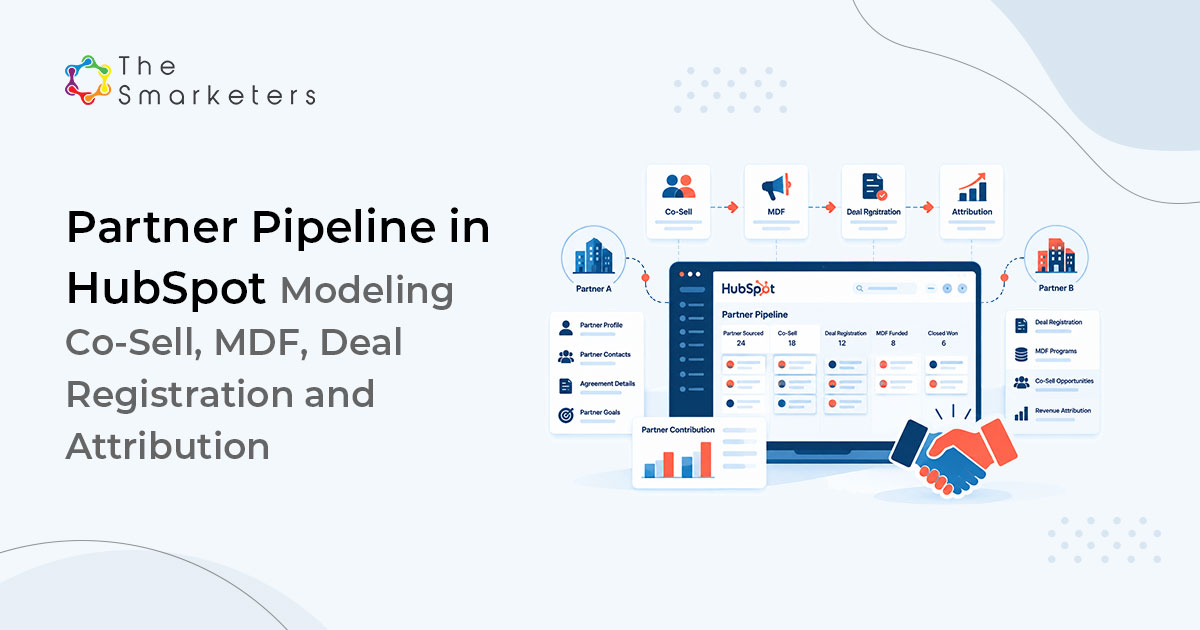
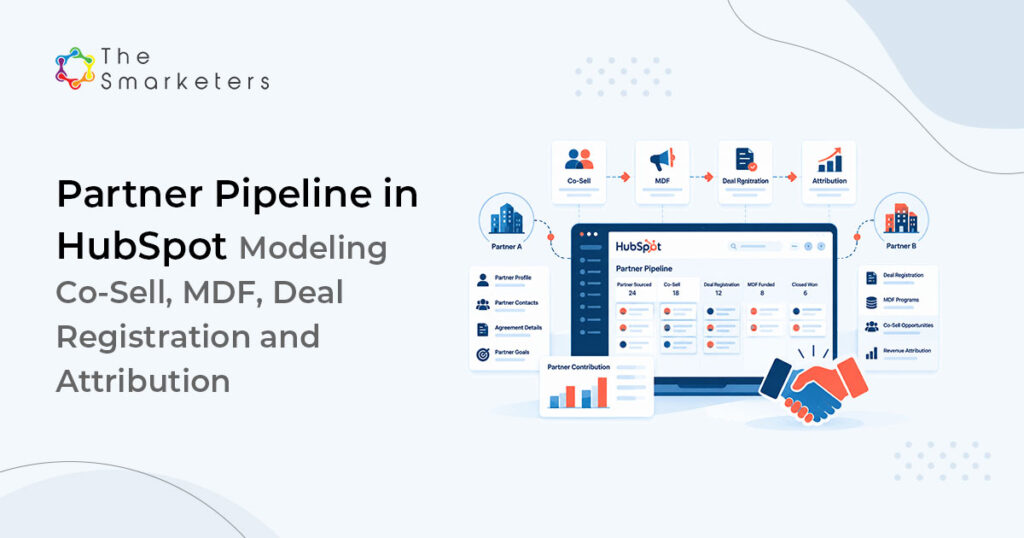
Partner-influenced revenue is under-reported because deal registration happens in someone else’s portal and lands in a spreadsheet nobody reconciles. To build a partner pipeline in HubSpot, model Partner and Deal Registration as custom objects, associate them to the deal with labeled associations, and record whether each deal was sourced, influenced or co-sold. The number you take to a board is then auditable rather than remembered.
Ask a partner leader what share of last year’s closed revenue came through the co-sell pipeline and you get a range. Ask for the evidence and you get a workbook.
Why does the partner pipeline end up in spreadsheets instead of HubSpot?
Because registration happens outside your CRM, in a hyperscaler or vendor portal, with no native HubSpot connector bringing it back. Someone exports a CSV, someone maintains a tab, and the two diverge within a month.
The second reason is structural. Most portals model the partner as a deal dropdown, which cannot hold an agreement date, a margin rate, a tier or a set of registrations. When the model cannot represent the relationship, the spreadsheet appears.
STAT
Eight of the 12 most cited ways B2B organizations judge marketing require proof of direct buyer engagement. Source: Forrester, Proof Of Engagement Stands At The Center Of How B2B Marketing Is Evaluated, November 2025.
Partner influence is exactly the claim that needs evidence on a record rather than an assertion in a deck.
Why should Partner be a HubSpot custom object, not a deal property?
Because a partner has its own properties, its own lifecycle and a many-to-many relationship with deals. A dropdown gives you none of that.
| Property | Type | Purpose |
|---|---|---|
| partner_id | Single-line text, unique | Deduplication and portal matching |
| partner_type | Dropdown | Reseller, SI, ISV, referral, hyperscaler |
| partner_tier | Dropdown | Drives margin and MDF eligibility |
| agreement_end_date | Date picker | Triggers renewal workflow |
| margin_rate | Number, percentage | Feeds net revenue reporting |
| partner_manager | HubSpot user | Ownership and routing |
| registrations_ytd | Number | Maintained by workflow |
| partner_status | Dropdown | Prospective, onboarding, active, dormant, terminated |
Associate Partner to Company so the partner’s own account record stays intact, and to Deal with labels. Those labels are your partner attribution model, so define them first.
| Association label | Meaning | Evidence required |
|---|---|---|
| Sourced by | Partner brought the opportunity | Approved deal registration |
| Co-selling with | Joint pursuit, both parties in meetings | Meeting log with partner contact |
| Influenced by | Partner shaped the requirement | Logged activity before the deal opened |
| Delivery partner | Post-sale implementation only | Signed statement of work |
How do you set up HubSpot deal registration with conflict rules?
Make deal registration its own custom object in HubSpot. A registration can exist before any deal, can be rejected, and can expire without becoming an opportunity. A deal property represents none of those states.
| Property | Type | Notes |
|---|---|---|
| registration_id | Single-line text, unique | Matches the portal reference |
| submitted_date | Date picker | Starts the protection window |
| expiry_date | Calculation | Submitted date plus the agreed window |
| registration_status | Dropdown | Submitted, approved, rejected, expired, converted |
| end_customer_domain | Single-line text | The conflict detection key |
| conflict_flag | Boolean checkbox | Set by workflow when a match is found |
| portal_status | Dropdown | Last known status in the external portal |
Conflict detection is where a real limitation appears. A standard workflow cannot look up other records to test whether an end customer domain already sits on an open deal. You need a custom code action in Data Hub Professional (formerly Operations Hub) that queries the CRM search API and writes back to conflict_flag.
Run the check on submission and again on approval, then route flagged registrations to a named reviewer with a one business day SLA. A slow conflict decision damages partner trust more than the decision itself.
How do you track MDF campaigns and spend in HubSpot?
MDF tracking needs a third object, deliberately small.
| Property | Type | Purpose |
|---|---|---|
| mdf_reference | Single-line text, unique | Finance reconciliation |
| requested_amount | Number, currency | Approval routing threshold |
| approved_amount | Number, currency | Committed spend |
| spend_to_date | Number, currency | Updated from finance export |
| campaign_name | Single-line text | Links to the HubSpot campaign by name |
| proof_of_execution | File or URL | The audit artifact vendors ask for |
| mdf_status | Dropdown | Requested, approved, in market, reconciled, clawed back |
One constraint: HubSpot campaigns are a native asset and custom objects cannot be associated to them directly. Store the campaign name or ID as a text property and report the two side by side. Less elegant than a real association, and it works.
Route approvals with one branching workflow: below a threshold the partner manager approves, above it finance approves, and anything without proof of execution within thirty days of campaign end escalates.
What is the difference between partner-sourced, influenced and co-sold revenue?
Partner-sourced means the partner brought the opportunity, co-sold means both teams pursued it jointly, and influenced means the partner shaped the requirement before the deal opened. Define each one, then require the evidence above before the label can be applied. Definitions matter more than technology here, because the year-end argument is always about definitions.
HubSpot pushes back on partner revenue splitting. Native deal splits in Sales Hub Enterprise divide credit only between HubSpot users, so there is no native way to divide a deal amount between your team and an external partner. Add a partner_credit_percent number property and a partner_net_amount calculation property, then report those alongside the gross amount. It is a workaround; present it as one.
We built this for a cloud services client who believed roughly 30% of the pipeline was partner-influenced. With registrations and labeled associations in place, the figure across the next two quarters was closer to half, most of the difference sitting in deals partners had influenced early and never registered. They had not been overstating their contribution; they had been unable to prove it. We have also run partner-focused programs for clients such as Globpar, which markets private-label SAP services to SAP VARs and cloud partners.
PROOF POINT
A Fortune 500 technology client reached 150+ sales-qualified accounts within 8 months through a targeted ABM program aimed at Indian MNCs.
How do you report partner-attributed revenue in HubSpot?
Four reports, all on the objects above, built to sit alongside the models in our HubSpot revenue attribution playbook.
| Report | Built on | Answers |
|---|---|---|
| Pipeline by association label | Deal, Partner | Revenue by attribution type |
| Registration funnel | Deal Registration | Submitted to approved to converted |
| Partner scorecard | Partner, Deal, MDF | Revenue, registrations, spend per partner |
| MDF return | MDF, Deal | Influenced pipeline per unit of approved spend |
Build the scorecard as a saved dashboard filtered per partner and share it quarterly. Partners who see their own numbers register more deals, which is the cheapest data quality fix in the build.
KEY TAKEAWAY
Registration volume is a leading indicator of partner trust. If registrations fall, the partner has decided your process costs more than the protection is worth.
How do you reconcile HubSpot with hyperscaler partner portals?
Weekly, by import, until volume justifies a custom HubSpot integration with the portal API. Export the registration list from the external portal, import it into the Deal Registration object matching on registration_id, and update portal_status and last_reconciled_date. HubSpot imports match existing records on a unique-value property, which is why registration_id is flagged unique.
Three checks make it worth doing: registrations approved in the portal with no deal, deals labeled sourced with no approved registration, and registrations nearing expiry on an open deal. The third protects revenue and takes ten minutes to build as a scheduled workflow. Our cloud partner practice treats it as standard in HubSpot implementation work.
What governance does a partner pipeline in HubSpot need?
Four things, reviewed quarterly as part of a routine HubSpot audit. A written definition of each attribution label, signed off by sales and finance. A named owner for the Partner object. An expiry workflow that closes registrations automatically. And an audit habit: HubSpot keeps property change history, so spot-check ten deals a quarter and confirm each label matches its evidence.
When does this HubSpot partner build hit its limits?
HubSpot has no native partner relationship management (PRM) module. Third-party PRM and co-sell apps in the HubSpot Marketplace can connect portals such as AWS ACE and Microsoft Partner Center at extra cost; without one, reconciliation stays a scheduled process or an integration you maintain.
Revenue splitting is the other gap. Deal amounts are single values and native deal splits cover only HubSpot users, so co-sell splits live in a custom property and a separate report, and anyone reading the standard revenue report sees gross figures.
Custom objects require Enterprise, and the number of custom object definitions you can create depends on your subscription. This build uses three, so combined with objects for other purposes, larger organizations reach the ceiling faster than expected.
A partner pipeline in HubSpot does not create partner engagement; it measures it. If partners are not registering deals, the cause is usually margin, conflict handling or response time, and no configuration fixes those.
Frequently Asked Questions
How do you track a partner pipeline in HubSpot?
Build Partner and Deal Registration as custom objects, associate the partner to deals with labels for sourced, co-sold, influenced and delivery, and require defined evidence before a label is applied. Report pipeline by association label, and reconcile registrations against the external portal weekly.
Can HubSpot handle deal registration?
Not natively, but the pattern is simple. Create a Deal Registration custom object with a unique registration ID, submitted and expiry dates, status and an end customer domain field. Conflict detection needs a custom code action in Data Hub Professional (formerly Operations Hub), because standard workflows cannot query other records for an existing opportunity.
Should a partner be a custom object or a deal property?
A custom object. Partners carry their own agreement dates, tiers, margin rates and status, and relate to many deals at once. A deal dropdown holds a name and nothing else, which is why partner reporting ends up in a spreadsheet outside the CRM.
How do you separate sourced, influenced and co-sold revenue?
Define each term with the evidence required, then express it as an association label rather than a text field. Sourced needs an approved registration, co-sold needs logged joint meetings, influenced needs partner activity before the deal opened. Agree the definitions with finance before building.
Can you split deal revenue between your team and a partner?
Not natively. Deal splits in Sales Hub Enterprise share credit only among HubSpot users, not external partners. Add a partner credit percentage property and a calculated net amount property on the deal, then report those alongside the gross figure. Present it to finance as a reporting convention, not a native capability.
How do you track MDF spend in HubSpot?
An MDF custom object holding reference, requested and approved amounts, spend to date, status and proof of execution, with a branching approval workflow by threshold. Custom objects cannot associate to HubSpot campaigns directly, so store the campaign name as a text property and report the two alongside.
How often should partner portal data be reconciled?
Weekly for most programs. Import the portal export against the unique registration ID, then run three checks: approved registrations with no deal, sourced deals with no approved registration, and registrations nearing expiry on open deals. Automate the third as an alert, because it protects revenue.

Swati Bansal
Sr. Content Strategist