
Need help with B2B Marketing?
Let the smarketers’ team drive your pipeline with data-led campaigns and AI-powered growth strategies.
Launch week is arguably the worst possible time to realize your team doesn’t actually understand how your new HubSpot portal operates.
Consider the typical scenario: The implementation partner configures the system, conducts a final demonstration, everyone gives their approval, and the engagement concludes. A couple of months down the line, an employee asks why a specific lead bypassed several stages to become an “opportunity.” Unfortunately, the only person with the answer is an external consultant who has already moved on to another project.
The solution to this common problem isn’t hiring a different agency. It’s demanding a more rigorous handover process. Before you officially sign off, use this HubSpot implementation checklist to secure seven specific deliverables. More importantly, your internal team needs to test every single one of them.
Key takeaways
Get seven deliverables before go-live: a process blueprint, a property dictionary, an access and ownership log, workflow documentation, migration test results, task-based training and a support escalation path.
Your end users test each item, not the agency.
Any item that fails goes back to the partner, whatever the launch date.
Why Doesn't a HubSpot Partner Certification Replace a Handover?
A certification proves the partner knows HubSpot. A handover proves your team can run your specific portal without them. You need both, but only the handover protects you after the contract ends.
When selecting a HubSpot implementation partner, partner tiers and certifications are solid early indicators. They demonstrate that the agency possesses technical proficiency and practical experience with the platform. As a HubSpot Platinum Solutions Partner delivering HubSpot implementation services, we certainly recognize their value.
However, a certification validates the partner’s expertise, whereas a handover validates yours. A true handover addresses a completely different objective: once the agency’s contract ends, is your internal staff equipped to operate the system, implement safe modifications, and understand the logic behind its automated behaviors?
The only way to confidently answer “yes” is by actively testing the assets the partner leaves behind, the same way an independent HubSpot portal audit would.
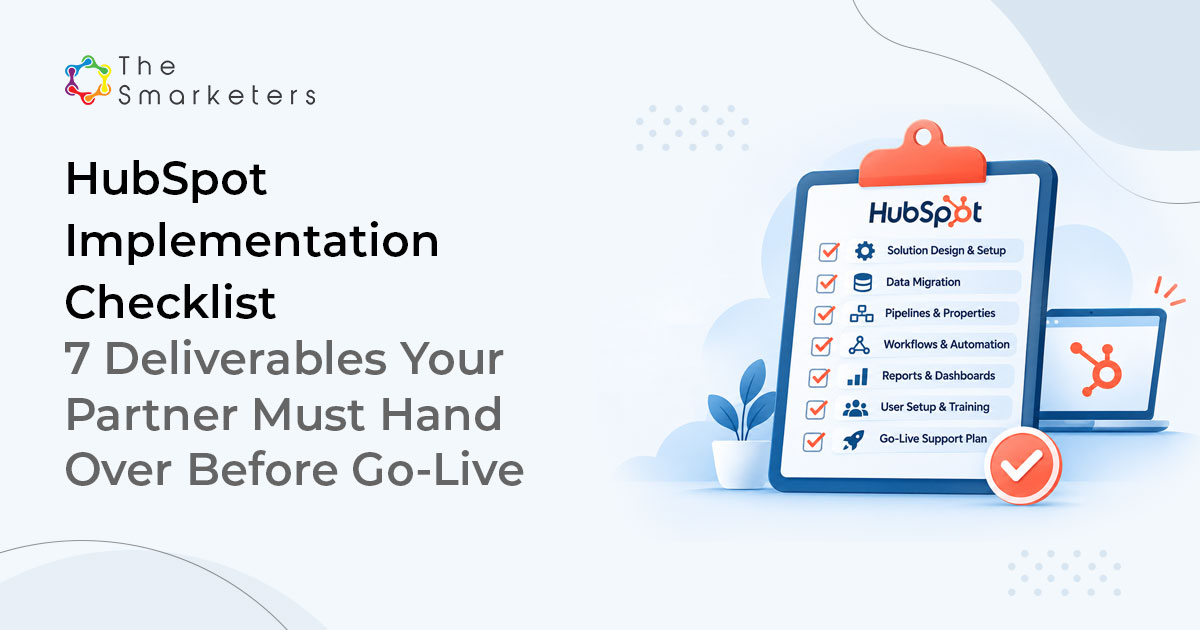
Your HubSpot Implementation Checklist: 7 Deliverables to Request Before Go-Live
A HubSpot implementation handover is the formal transfer of documentation, access and knowledge from your partner to your internal team, so your staff can run, change and troubleshoot the portal without the agency. Use the table below as a quick HubSpot handover checklist, then read the details for each deliverable.
| Deliverable | What it proves | Who tests it | Pass test |
|---|---|---|---|
| 1. Process blueprint | Every record's stage follows your agreed process | Sales representative | Explains why three live records sit in their current stages, using only the blueprint |
| 2. Property dictionary | Changes won't break reports or automation | Future HubSpot admin | Names what breaks if a specific custom property is deleted |
| 3. Access and ownership log | No vital access depends on the agency | Future HubSpot admin | Two internal users can manage permissions, and no integration runs on a contractor's login |
| 4. Workflow documentation | Your team understands what each automation does | Marketing operations manager | Predicts what stops if a random workflow is turned off, then confirms it in HubSpot |
| 5. Migration test results | Legacy data arrived complete and accurate | Legacy database owner | Ten complex records match between HubSpot and the legacy system |
| 6. Task-based training | Users can do daily work without help | Frontline sales and marketing staff | Each team completes its three most frequent tasks unaided |
| 7. Support escalation path | You know who fixes what, and at whose cost | Project sponsor | A low-priority test issue is triaged within the promised response time |
1. A Process Blueprint for HubSpot Lifecycle Stages and Pipelines
This document should clearly outline the lifecycle of a record within your organization. At what specific point does a standard contact transition into a qualified lead? What criteria elevate a company to a target account? What are the exact stages of your deal pipeline, and what mandatory actions must occur at each step?
Crucially, this model must be articulated in your company’s internal terminology, not generic HubSpot jargon, and it requires formal approval from a senior stakeholder on your end. Every configuration in the portal, from the first HubSpot implementation steps onward, should ultimately align with this blueprint.
How to test it: Select three live records from different lifecycle stages. Ask a sales representative to explain exactly why each record is in its current stage, relying exclusively on the provided process document for guidance.
2. A Property Dictionary for Every HubSpot Custom Property
You need a centralized log of every custom property built within the portal. This log should detail the property’s name, its purpose, who holds editing permissions, how its data is populated, and which specific reports or workflows depend on it.
This is far more critical than it appears. If your team is unaware that a property called “Lead Source Detail” is populated by a specific web form and triggers three separate workflows, someone will inevitably rename or delete it, instantly breaking all connected processes.
How to test it: Ask a colleague to determine exactly what system functions would break if a specific custom property were deleted, using only the property dictionary to find the answer.
3. Defined Access and Ownership Logs
Your partner should provide a master list detailing who holds Super Admin privileges, who technically owns each third-party HubSpot integration, and whether any core connections are tied to a specific individual’s user account rather than a generic role-based account. If an integration was authorized using the consultant’s personal credentials, insist that it be re-authenticated using an internal account prior to launch.
How to test it: Verify that a minimum of two internal employees have the ability to manage user permissions, and ensure that no vital system integration is reliant on an external contractor’s login.
4. HubSpot Workflow Documentation
Every active workflow requires clear documentation outlining its trigger criteria, the actions it performs, the data it alters, and its designated internal owner. Pay special attention to workflows that manipulate lifecycle stages. HubSpot tools such as forms, imports, the API, integrations and workflows only move the lifecycle stage forward. To move a record back, the value has to be cleared first. If your sales motion occasionally moves records backward, your documentation must explicitly explain how the system handles that scenario.
How to test it: Have your marketing operations manager select a random workflow and explain exactly what processes would halt if it were deactivated, using only the written documentation. Afterward, open the actual workflow in HubSpot to verify their accuracy.
5. HubSpot Data Migration Test Results
If you transferred historical data from a legacy CRM, you need concrete proof of its integrity. This requires total record counts categorized by object, a randomized sample of records audited on a field-by-field basis, and a transparent list detailing any data that failed to migrate and the reasons why.
It is also critical to understand HubSpot’s deduplication logic. During imports, HubSpot matches existing records by Record ID when that column is included. Otherwise it matches contacts by email address and companies by domain name. Companies created through the API or third-party sync apps are not deduplicated by domain. If your legacy database contained duplicate emails or lacked company domains, you must know how the partner resolved those conflicts.
Finally, audit your associations. When a contact is associated with one or more companies, HubSpot marks one of them as primary. Custom association labels, which describe the nature of each relationship, require a Professional or Enterprise subscription. If your previous system allowed a contact to be linked to multiple companies equally, verify how that architecture translated to HubSpot.
How to test it: Hand-pick ten complex records you are intimately familiar with and manually cross-reference them between HubSpot and your legacy system.
6. Task-Oriented Training Sessions
Avoid generic interface tours. Good HubSpot onboarding is built around real tasks. Training must be highly practical and centered around the daily workflows of your staff, such as logging a sales call, advancing a deal to the next stage, segmenting a list for a marketing email, or generating a weekly revenue forecast.
How to test it: Immediately following the training sessions, ask respective teams to execute their three most frequent daily tasks without any assistance. Document where they struggle and require the partner to conduct follow-up coaching on those specific bottlenecks.
7. A Clear Support Escalation Path
You need to know exactly who to contact during the critical first 30 days post-launch, the guaranteed response times, and who provides ongoing HubSpot support after that. Furthermore, you must establish a documented distinction between a “defect” (which the partner fixes at their expense) and a “change request” (which requires additional budget). Get these definitions in writing.
How to test it: Submit a minor, low-priority issue during the handover phase to evaluate the partner’s actual response time and triage process.
Who Should Sign Off on the HubSpot Go-Live Checklist?
While the primary project sponsor ultimately approves the handover as a whole, the individual items must be tested by the end-users, not the agency. The employee permanently inheriting the system should audit the property dictionary and workflow documentation. Frontline sales and marketing staff must validate the training. An individual with deep knowledge of your legacy database should sign off on the data migration.
If any deliverable fails its internal test, it must be returned to the partner with specific feedback. Do not let an arbitrary launch date pressure you into accepting a flawed handover.
Communicate Expectations Early
Share this HubSpot implementation checklist with your partner before a firm go-live date is set, and assign an internal tester to each item right away. Setting these expectations at the kickoff of a HubSpot implementation project is a much smoother conversation than springing it on them a week before launch.
Frequently Asked Questions
What should a HubSpot implementation checklist include before go-live?
At minimum: an approved process blueprint, a property dictionary, an access and ownership log, workflow documentation, migration test results, task-based training and a written support escalation path. Each item should be tested by your own team before sign-off.
Should the client own the final configuration documentation?
Absolutely. The process models, property dictionaries, and workflow logic maps must be hosted on your internal systems and remain fully editable by your staff. If these vital documents are siloed in the agency’s Google Drive, you will struggle to safely update your portal once the contract concludes.
How do we differentiate between a defect and a change request?
A defect is a failure of the system to perform as explicitly outlined in the mutually signed scope of work. A change request is a request for new functionality or a deviation from that original scope. Agreeing upon these definitions before launch is critical, as it determines who absorbs the cost of the labor.
How long should HubSpot support last after go-live?
Plan a defined support window that covers at least the critical first 30 days after launch, with named contacts and guaranteed response times agreed in writing. Use that window to log every issue and classify it as either a defect or a change request.

Venugopal Mamidala
Director of MarTech